In today’s digital age, the power of visual content cannot be overstated. Nonprofits, often operating with limited budgets, time, and staff capacity, can greatly benefit from mastering phone photography and videography to tell compelling stories, connect with your audience, and drive your mission forward.
Here are some practical tips and tricks to help your organization make the most of your smartphone for capturing stunning photos and videos.
Know Your Smartphone
Before you dive into photography and videography, familiarize yourself with your smartphone’s camera settings and capabilities. Experiment with different modes, settings, and features to understand how to get the best results from your specific device. When in doubt, your phone’s “auto” mode will likely do a suitable job in a pinch!
Good Lighting is Key
One of the most important elements for great photos and videos is proper lighting. Natural light is your best friend, so take advantage of it whenever possible. Shoot during the “golden hours” of early morning and late afternoon for soft, flattering light. When shooting indoors, pay attention to the temperature of the lighting, as you can make adjustments in your phone’s camera settings to counter the harsh light (e.g. for a strong fluorescent blue overhead light, your photos will naturally look blue, but if you correct the temperature by adding a warmer capture tone, your photos will appear more natural and true-to-color).
Stabilize Your Shots
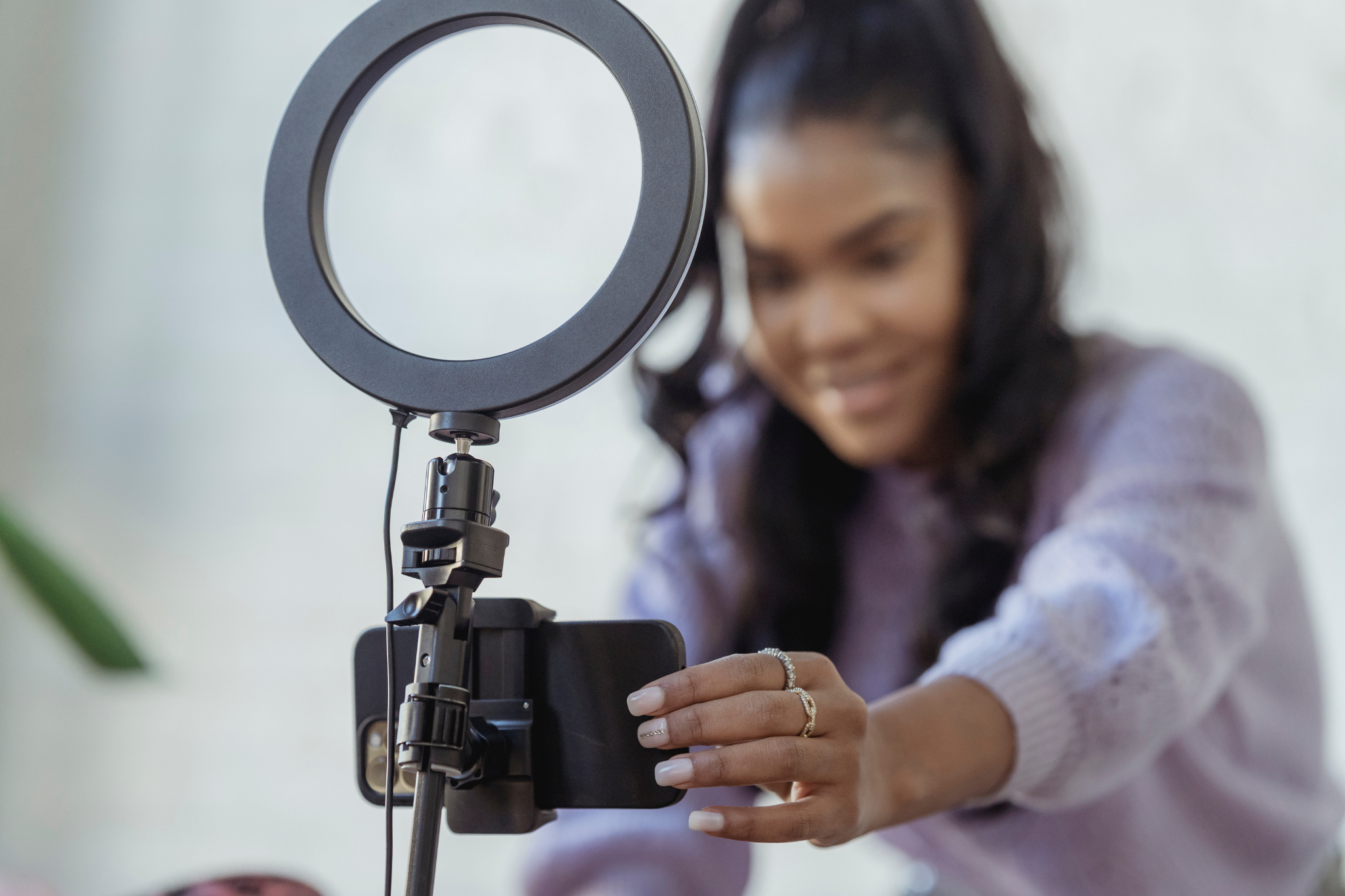
Shaky footage can ruin an otherwise excellent video. Invest in a tripod or a handheld stabilizer for your phone. These affordable accessories will significantly improve the stability of your shots. We recommend this tripod for its sturdy and durable frame and attachment options for camera or smartphone.
Clean Your Lens
The lens of your phone can easily accumulate fingerprints and smudges, which can affect the clarity of your photos and videos. Keep a microfiber cloth handy to clean the lens before shooting. A cloth you use to clean your glasses will do, or if you’d like to purchase one, we like these cloths. Most modern smartphones are equipped with monitors that will prompt you to clean your lens if it is too smudged.
Rule of Thirds
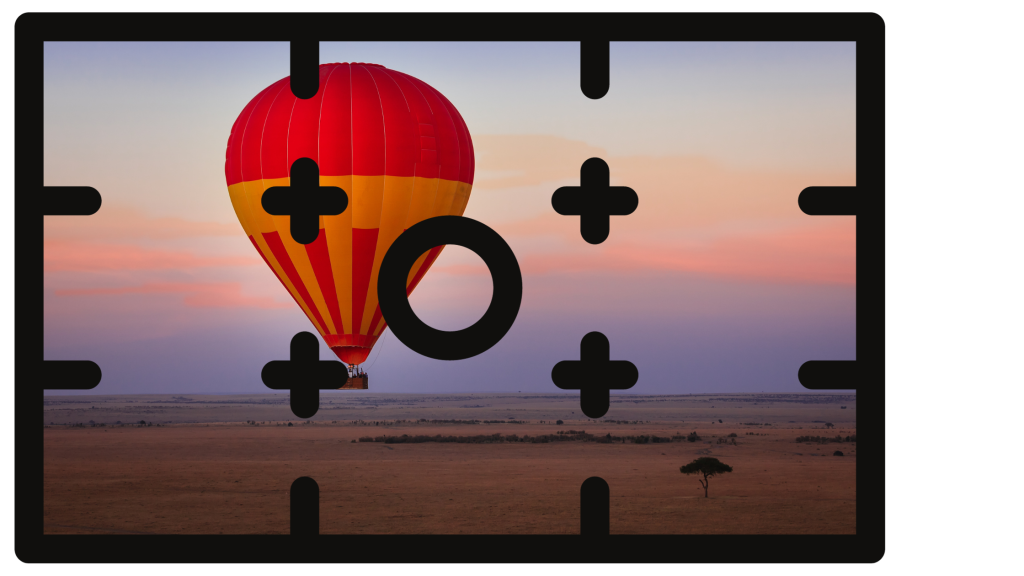
For well-composed shots, use the rule of thirds. Imagine your frame divided into nine equal parts by two horizontal and two vertical lines. Place the main subject or points of interest along these lines or at their intersections for a balanced and visually appealing composition.
Use Gridlines
Enable gridlines on your smartphone camera to help you maintain a straight horizon and follow the rule of thirds. This feature can also guide you in creating balanced compositions. It’s slightly different for every phone, but here is the basic process for an iPhone:
- Launch the Settings app from the Home screen of your iPhone or iPad.
- Tap on Photos & Camera. You have to scroll down a bit to find it.
- Tap the switch next to Grid to turn it on. It’s about halfway down, under the Camera section.
Storytelling
Before hitting the record button, think about the story you want to tell. Plan your shots and consider the message you want to convey through your video. A well-structured narrative can engage your audience and support your mission.
Record in Landscape Mode
For video to be used in a polished form, always record in landscape (horizontal) mode. This format is more versatile and suitable for various platforms, including websites, emails, and sites like YouTube and Vimeo. For social media, we recommend vertical videos, as they utilize the vertical orientation of a phone.
Capture Authentic Moments
Authenticity is key for nonprofits. Instead of scripting every moment, capture genuine interactions and emotions. This will resonate more with your audience and build trust in your cause.
Edit Wisely
You don’t need expensive software to edit your photos and videos. Many free or affordable apps are available for smartphones that offer basic editing tools. Many smartphones have a built in photo and video editor you can utilize, too. Adjust brightness, contrast, and colors, and trim your videos to keep them concise and engaging. At Hoan Marketing, we’re happy to support with photo and video editing!
Audio Matters
Clear audio is crucial for videos. Invest in an external microphone or use a quiet, well-lit location for your video recordings. Background noise can distract from your message. With microphones, you generally are going to get what you pay for. Investing in a high quality audio recorder from a company like Zoom Recorders (the H1n model is a great option for under $100) will ensure you are capturing the best possible audio. There are many options for portable audio recorders, such as this Sony microphone and this EVIDA recorder, though we haven’t tested these options. When in doubt, even using a built-in microphone on your headphones is better than nothing!
Save and Back Up
Always save your photos and videos to a secure location, like cloud storage or an external hard drive. This prevents accidental loss and ensures that your valuable content is always accessible.
Practice Makes Perfect
Finally, the most important tip is to practice. The more you use your smartphone for photography and videography, the better you’ll become. Experiment, learn from your mistakes, and refine your skills over time.
In the world of nonprofit work, where resources are often scarce, phone photography and videography are invaluable tools. With these tips and tricks, you can harness the potential of your smartphone to create compelling visual content that engages your audience, promotes your mission, and advances your cause. Your powerful storytelling through smartphone media can drive positive change, even on a limited budget and with limited staff capacity.
For more marketing tips n’ tricks, subscribe to our newsletter.